Fix dark interiors, recover blown-out window views, and balance exposure across every room — without manual HDR bracketing or Photoshop. AI listing photo enhancement built for real estate. From $0.99 per photo.
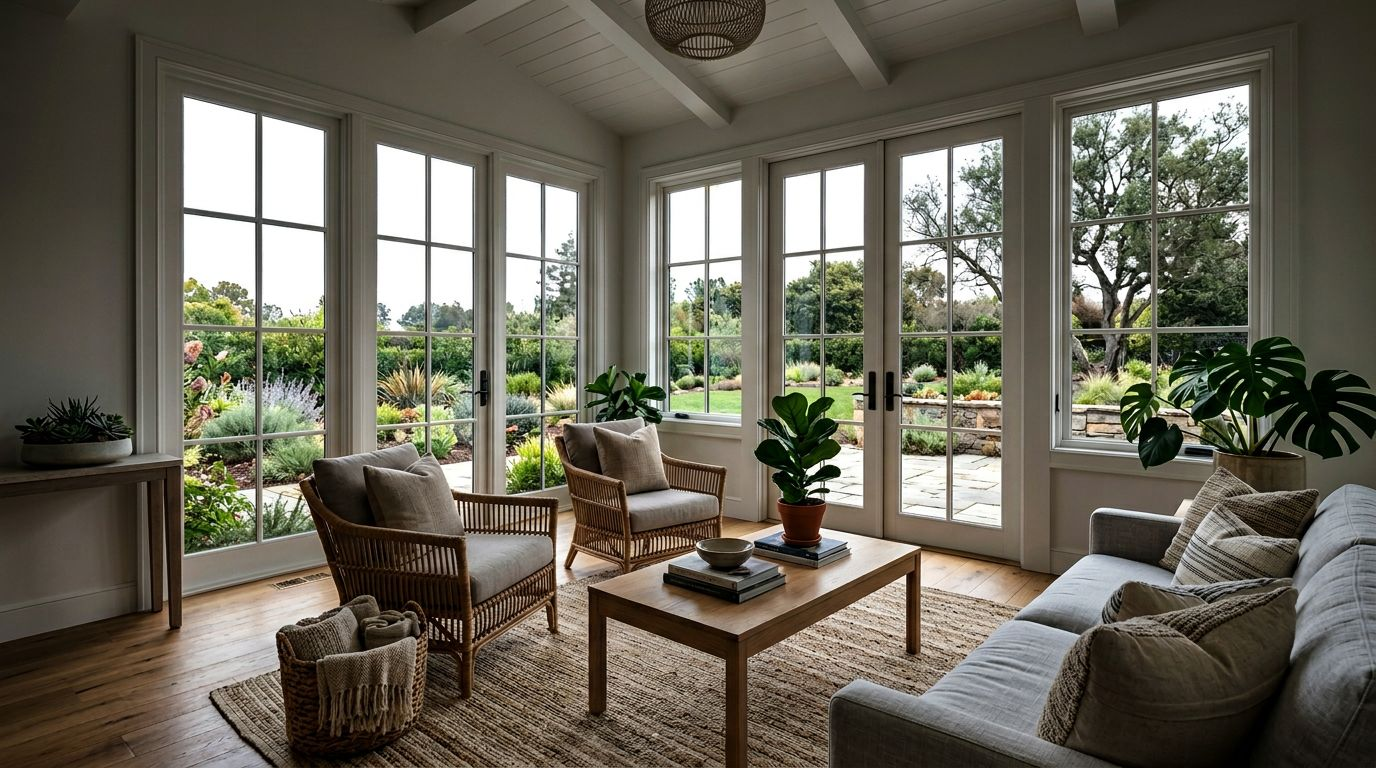
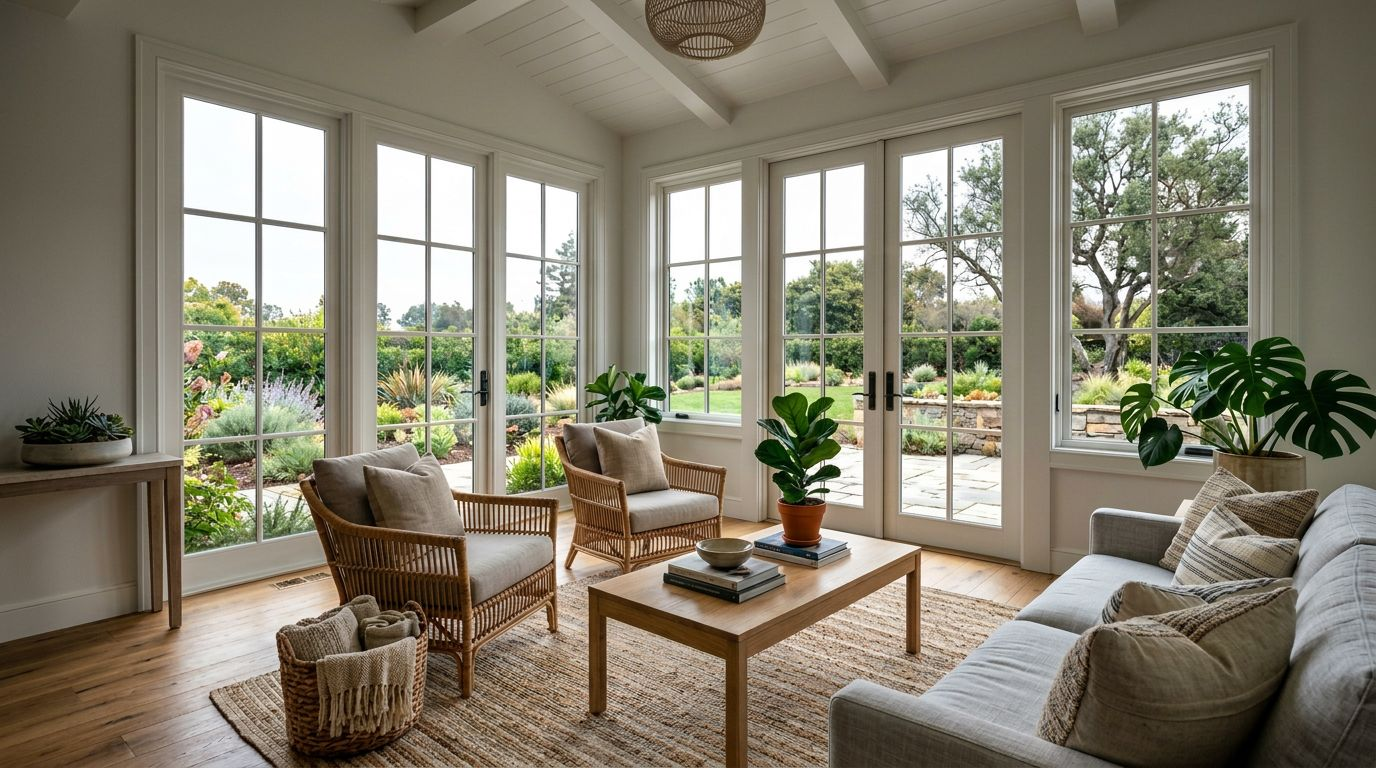
Same shot — interior brightened, window view recovered, color balanced. One click, 30 seconds, MLS-ready.
Dim, underexposed photos look unwelcoming on the MLS. Buyers scroll past listings that feel cave-like — even if the home itself is bright in person.
Most phone and entry-level DSLR shots blow the window exposure into pure white — hiding the very view that sells the home. RePhoto recovers the outdoor scene through the window automatically.
Manual HDR means shooting 3–7 brackets per room, merging in Lightroom or Photomatix, and color-correcting each. RePhoto does it from a single photo in 30 seconds.
Listings with phone shots compete against pro photography on the same portal. AI HDR levels the field — bright, balanced, MLS-quality from a smartphone.
Daylight in one room, warm bulbs in the next, dim hallway in between. RePhoto normalizes color temperature and exposure across every shot for a cohesive listing.
When the goal is MLS-by-tonight, you can't wait for a freelancer. RePhoto turns around HDR in under a minute per photo — full home enhancement in 10 minutes.
Start with 3 free credits. Buy packs only when you need them — they stay valid for 12 months.
MLS listing photo enhancement is the process of editing real estate photos to look professional on the Multiple Listing Service and on portals like Zillow, Redfin and Realtor.com. The most common edits are HDR (balancing exposure), window recovery, brightening dark interiors, and color correction. RePhoto's AI handles all of these in one pass.
Manual HDR requires capturing 3–7 bracketed exposures per room (on a tripod) and merging them in Lightroom or Photomatix. AI HDR works from a single photo, taking under 30 seconds. Quality is comparable to a skilled manual edit — and dramatically faster.
RePhoto's AI is tuned for MLS standards, not stylized HDR. The output looks natural and photorealistic — not the cartoonish, over-saturated HDR from older photo apps. The goal is to make the room look the way it feels in person.
Yes. RePhoto works equally well on iPhone shots, DSLR shots, and drone images. The AI normalizes exposure, color and detail regardless of input camera quality — so an agent without a photographer can still produce MLS-grade photos.
Yes. RePhoto handles interior HDR (recovering windows, brightening shadows, fixing mixed lighting) and exterior enhancement (sky recovery, brightening shaded facades, color correction). Use the same workflow for both.
RePhoto exports at full resolution up to 4K, which exceeds MLS upload requirements on every major portal. Source files up to large DSLR sizes are accepted — the AI downscales internally only when needed for processing.
Each photo is processed individually so the AI can apply the right enhancement per room, but the workflow is fast — a 15-photo listing takes under 10 minutes end-to-end. The Agent and Agency credit packs are sized for daily multi-listing workflows.
Stage empty rooms in seconds — pairs perfectly with HDR enhancement.
Turn daytime exteriors into emotional twilight hero photos.
All-in-one tool for staging, HDR, dusk, decluttering, renovation and more.
Swap overcast skies for vibrant blue or warm sunset.
Remove clutter, tenant furniture and personal items from photos.
Browse 100+ before / after examples across rooms and edit types.